Best Face
Hold the shutter on a group shot. It picks the frame where everyone's eyes are open and nobody's mid-blink, then keeps the whole burst in case you disagree.

Film looks that feel like a memory, glow that keeps your freckles, and a photo dump that picks itself. Built on the intelligence inside your iPhone, with a vault that means you never lose the original.
You don't think in sliders. You think "I need a good photo before we leave." ShutterAI is organized around the moments you actually shoot.
Hold the shutter on a group shot. It picks the frame where everyone's eyes are open and nobody's mid-blink, then keeps the whole burst in case you disagree.
Un-flips your mirror selfie so text reads right, straightens the door frame, and fixes the wide-lens stretch that makes legs look off in full-body shots.
Prop your phone up, step back, show your palm. A three-second countdown, then the shot. Peace sign takes a burst. No timer fumbling, no asking a stranger.
A close-up mode that finds your hand, locks focus on the nails, softens the background, and adds a light sparkle. Made for the manicure pic and the "she said yes" pic.
A gentle nudge when the light outside is about to be perfect, and a little compass in the camera that shows which way to face so the glow hits your face, not your back.
Save the poses and framing that work for you. Next time, a soft outline shows where to stand and where to hold the phone. Your good side, remembered.
Six people, four phones, one trip. Pull everyone's photos into one album and ShutterAI gently matches the color, warmth and grain so the whole dump looks like it came from one camera. Everyone gets the originals back too.
Tap once, do your makeup. It records a timelapse that slows down for the interesting bits and adds captions in your voice.
Real cameras have quirks: the flash falloff of a disposable, the date stamp on a 2004 digicam, the light leak on a roll you left in the sun. We rebuilt the quirks, not just the colors. They render live in the viewfinder, so what you see is what you shoot.
Every look is a recipe you can tweak, save and share. More drop every month, and the ones you make can be shared with a link.
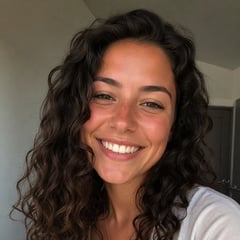
Most "beauty" filters erase you. Ours understands where skin, hair, teeth and eyes are, and only touches what you'd touch yourself: evens the light, softens a breakout, brightens tired eyes, and leaves your texture alone.
Tap the photobomber and they're gone. Tap yourself and you lift right off the background, ready to become a sticker, a wallpaper, or a cutout for a story.
Drag to compare. He wasn't in the plan.
Choosing is the worst part. ShutterAI reads every shot for eyes-open, sharpness, framing and mood, drops the near-duplicates, and hands you a first pick in the order that tells the story. Then you swap what you want.
7 picked from 16 · 8 near-duplicates hidden · order: arrive → brunch → walk → night
A recipe is your whole look, saved: the film, the warmth, the grain, the glow level, even the crop. Apply it to a whole trip in one tap. Share it with a link or a little card in your story, and your friends get the exact same look, no screenshots of settings.
Every look works on video live. Then the little things that make a clip feel finished happen on their own.
Soft background blur that follows whoever's talking, with the same skin-safe glow as photos.
Drop in a song from your library and clips snap to the beat. Trims the dead air at the start of every clip.
Words appear as you say them, styled to your recipe. No typing.
Speeds through the boring parts, slows for the reveal, and knows the difference.
Turns down the restaurant, keeps your voice. One switch.
Exports for Reels, TikTok and Stories with safe zones so nothing hides behind the buttons.
Your originals and every recipe you apply to them live in your vault. No edit is ever final, your phone never runs out of space, and photos from three phones ago still get the newest looks.
Originals land in your vault the moment you take them. Free up space on your phone without losing the full-quality file.
Every edit is saved as a recipe on top of the original. Change your mind in a year? Undo it in a second, in full quality.
Photos can carry a signed note of what was changed, so when you say "no filter", it means no filter. Optional, per photo.
Sign in on a new iPhone and your whole library, your looks and your recipes are already there. Nothing to migrate.
When we ship a better version of a look, your old photos can be re-rendered from the original. Nothing is ever locked to the tech of the day you shot it.
Download full-quality originals, finished edits and your recipes whenever you like, in one go.
Some magic is too heavy for a phone. Studio runs on our servers with the best image models available, on top of the originals already in your vault. It works on credits: one credit is one Studio photo, free accounts get one a day, Premium gets a hundred a month. Optional, clearly labeled, and always undoable.
See yourself in the dress before you buy it. Swap hair color for a weekend. Same you, different plan.
Takes the best expression of each person from a burst and builds the one shot where nobody blinked.
You took the photo, so you're not in it. Take a second one and we'll put you in the group, naturally.
Change the background to somewhere you'd rather be, with the light on your face matched to it.
Birthday invites, event posters and "save the date" cards from your photos, with text that's actually spelled right.
Turn one great photo into a matching set: same outfit, same light, new angles for the carousel.
The app is on the App Store, so there is nothing to wait for. Download it whenever you like. This list is for the new looks, recipes worth stealing and what we are building next. Two emails a month at most.
Free to download. Requires iPhone with iOS 26 or later; Studio and Clean Up need an iPhone 15 Pro or newer.
Shooting, all the looks, glow, clean up, photo dump curation and recipes are free. The vault has a free tier. Studio runs on our servers, so it uses credits: one credit is one Studio photo, free accounts get one a day, and Premium is 100 a month.
Not to shoot. You'll want one for the vault, for sharing recipes, and for Studio.
Our glow understands where skin, hair, teeth and eyes are. It evens lighting and softens blemishes but doesn't blur texture or reshape features. There is no slider for face shape, on purpose.
The app needs iOS 26, so it runs on any iPhone that can install it. Clean Up, Stretch the Frame and Captions additionally need Apple Intelligence, which means an iPhone 15 Pro or newer.
Yes. A recipe link opens a web preview with the look applied to a sample, and a download button. Once they install, the recipe is already in their library.
Everything that makes up a look: the film, warmth, grain, fade, glow level and crop, saved as one thing. Apply it to a whole trip, or share it with a link so a friend gets the exact same look.